Checkout is isolated
A standalone till records payment but may not preserve the appointment, customer, service, or follow-up context.
POS SOFTWARE PHILIPPINES
ZenshoTech is cloud-based POS software for Philippine businesses whose checkout is part of a wider customer journey. Sell services, products, and packages while keeping each transaction connected to the customer, branch, catalog, inventory, and reports.
Start free trial Contact sales
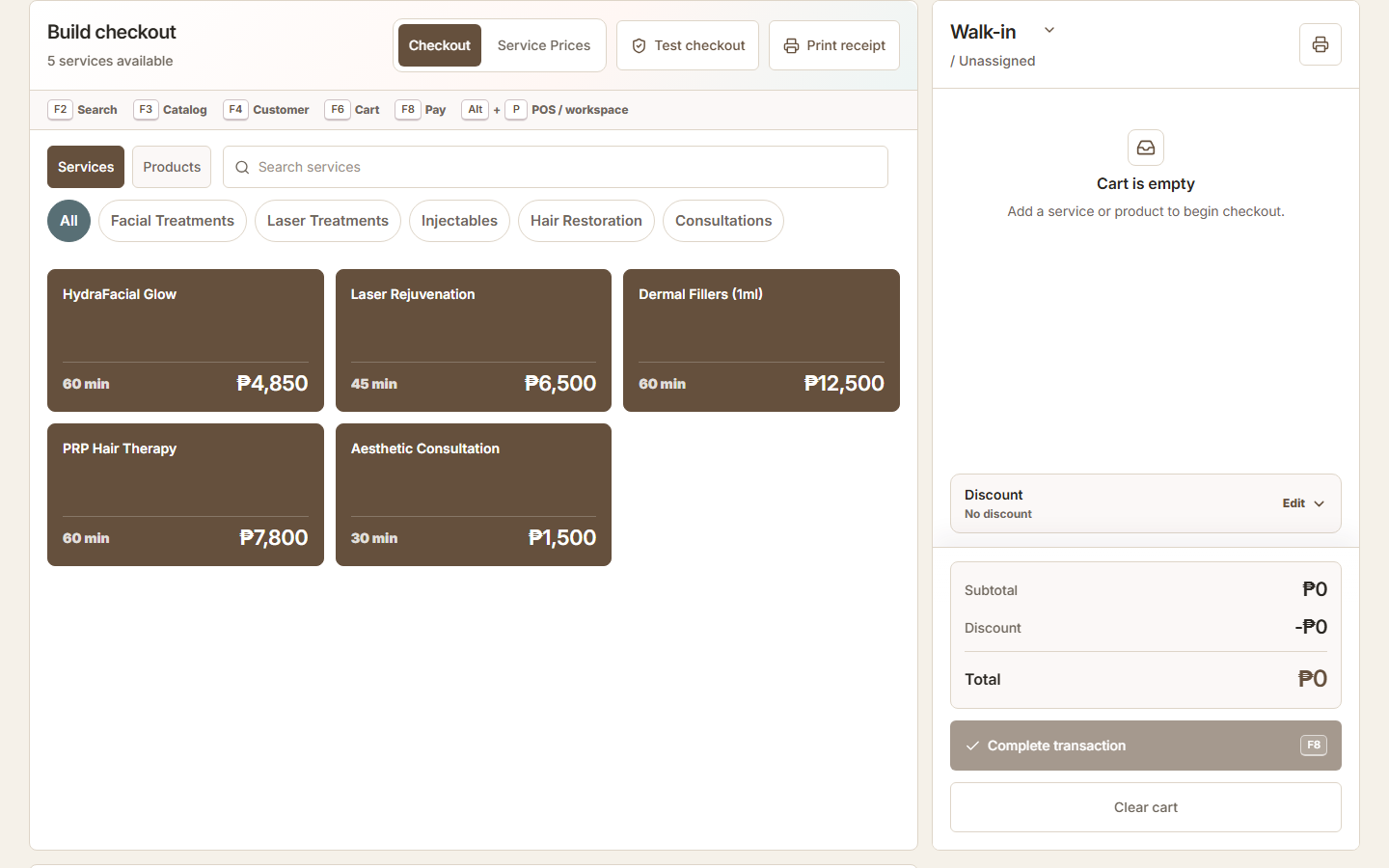
ZenshoTech combines browser-based checkout with a product-and-service catalog, customer-aware transactions, branch context, inventory movement, and operational reports. It is designed for Philippine service and retail teams that want sales to remain connected to appointments, customers, stock, and the rest of the business.
A standalone till records payment but may not preserve the appointment, customer, service, or follow-up context.
Teams can forget to update a stock sheet after a busy sale or adjust the wrong branch.
Owners spend time merging separate exports before they can understand location activity.
Build a sale from the configured catalog without retyping routine items.
Associate a transaction with a customer when relationship context is useful, while retaining an appropriate walk-in flow.
Apply supported adjustments and record the completed transaction consistently.
Connect inventory-aware product sales to stock movement at the relevant operational location.
Keep transactions associated with the correct branch so authorized owners can review location activity.
Review recorded sales alongside customers, products, services, inventory, expenses, and other permitted operational data.
Begin in the correct operating context and connect the sale to a customer when relevant.
Add configured services, products, or packages and review supported adjustments.
Record the tender and retain a consistent transaction record.
Use connected reports and inventory views instead of reconstructing the day from separate files.
A walk-in receives a service and buys shampoo. The front desk can add both to one transaction, associate the visit with the customer when appropriate, and connect the product sale with branch inventory.
Yes. A configured transaction can include services, physical products, and packages offered by the business.
Inventory-aware product sales can create connected stock activity when product and branch records are configured correctly.
Yes. ZenshoTech is web-based software intended for supported browsers and an internet connection. Test your actual device, printer, network, and peak-hour workflow before rollout.
No single POS is best for every business. ZenshoTech is a strong candidate for service and retail teams that need POS connected with customers, appointments, inventory, branches, and reports. Compare it with your real transactions, hardware, support, budget, and compliance requirements.
No accreditation claim is made on this page. Businesses should confirm current invoicing, registration, tax, and device obligations with qualified advisers and the relevant Philippine authorities before deployment.
Yes. Eligible new businesses can use a seven-day free trial, or request a guided demonstration focused on their current workflow.