POS
Best POS System Philippines 2026: Small-Business Guide
Compare the best POS system options in the Philippines by business type, inventory, BIR requirements, payments, support, connectivity and total cost.
By ZenshoTech Team · Published · Updated
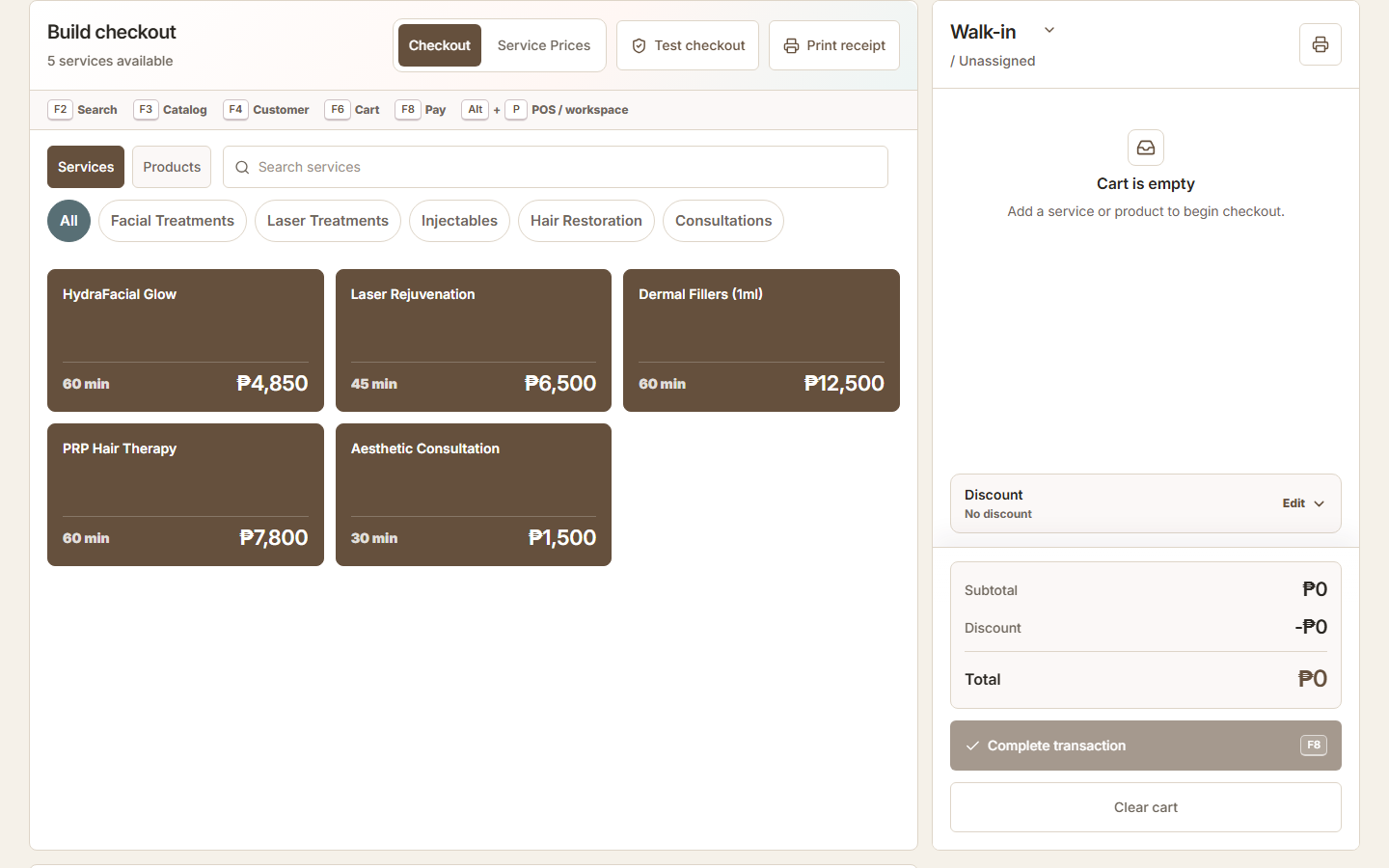
The best POS system in the Philippines is the one that fits how your business actually sells, gives staff a dependable checkout flow, and produces records you can use after the counter closes. For a Philippine small business, that means comparing the real transaction workflow, BIR and invoicing requirements, payments, internet reliability, hardware, inventory, local support, branch growth, and total cost—not simply choosing the longest feature list.
Quick answer: which type of POS is best for your business?
There is no responsible universal winner. A fast product-led retail counter, a restaurant, and an appointment-based salon need different workflows. Start with the type of sale you process most often, then shortlist systems that can demonstrate that sale and its difficult exceptions using your actual catalog and staff roles.
ZenshoTech is best evaluated by service and retail businesses that want POS connected to customers, appointments, packages, inventory, branches, and reports. A product-only store may prioritize barcode throughput and hardware integrations, while a restaurant should prioritize modifiers, kitchen routing, tables, and delivery channels. The best choice is the system that proves the required workflow without forcing daily workarounds.
| Business type | Priorities to test | Likely best-fit POS category |
|---|---|---|
| Retail store | Barcode speed, variants, returns, purchasing, stock counts | Retail POS with inventory |
| Salon, spa, or clinic | Services, appointments, customers, packages, products, staff attribution | Service POS connected to booking and CRM |
| Restaurant or café | Menu modifiers, tables, kitchen tickets, split bills, delivery | Restaurant-specific POS |
| Multi-branch business | Location permissions, transfers, consolidated reporting, resilient connectivity | Cloud POS with branch controls |
| Mobile or pop-up seller | Portable hardware, data connection, battery, simple catalog | Mobile POS |
Start with the transaction you really handle
Write down a normal sale from beginning to end. A convenience store may need barcode speed and many product lines. A salon may combine a service, package, retail product, discount, customer, and staff commission. A clinic may need an appointment and customer relationship connected to checkout. These are different buying problems.
Ask vendors to demonstrate your actual transaction, including voids, discounts, split responsibilities, returns or corrections, and end-of-day review. A polished generic demo does not prove that the everyday workflow fits.
- Products only, services only, or both
- Walk-in and known-customer checkout
- Discount approval and transaction corrections
- Branch, cashier, and staff attribution
- Receipt and record requirements
Check Philippine invoicing and BIR requirements before buying
Treat compliance as a documented requirement, not a marketing adjective. Ask the vendor exactly which machine, software version, receipt or invoice workflow, and accreditation or registration arrangement applies to your deployment. Confirm the answer with the Bureau of Internal Revenue and a qualified Philippine tax adviser before using the system to issue invoices or receipts.
Requirements can depend on the solution and how it is deployed. Keep copies of applicable approvals, permits, configuration records, and vendor commitments. If the POS is only being used for internal ordering or operational records while another approved process issues the official invoice, document that boundary clearly and train staff not to confuse the two.
Practical checklist
- Identify which system will issue the official invoice
- Ask for the exact accreditation details that apply to the offered version
- Confirm Permit to Use or registration steps for the business and each relevant machine
- Verify required invoice fields and retention procedures
- Document what happens during outages, corrections, reprints, and cancellations
- Recheck requirements with BIR or a qualified adviser before go-live
Cloud POS versus on-premise POS
A cloud-based POS can make updates, owner access, and multi-location reporting easier, but it depends on a sensible connectivity plan. Ask what remains possible during an outage, how transactions synchronize, and what staff should do if the connection fails.
A traditional local system may continue on one device without the internet, but remote access, backups, updates, and branch consolidation can require more manual work. Neither label is automatically better; the operating safeguards matter.
| Question | Cloud-based | Traditional/local |
|---|---|---|
| Owner access | Usually available from permitted devices | Often tied to the local network |
| Updates | Usually managed by provider | May require local maintenance |
| Outage planning | Needs a documented fallback | Local use may continue, depending on setup |
| Multi-branch view | Often easier | May require consolidation |
Test payments, hardware, and internet as one setup
POS software is only one part of checkout. List the payment methods your customers use, then test how each is recorded and reconciled. A label for cash, card, bank transfer, GCash, or Maya is not the same thing as a direct payment integration, so ask the vendor to show the exact flow and written scope.
Test the complete equipment chain: computer or tablet, barcode scanner, receipt or invoice printer, cash drawer, payment terminal, router, backup connection, and power protection. Confirm who supports each component. If the software vendor, hardware supplier, and payment provider all point to one another when something fails, the low subscription price will not matter during a busy day.
- Accepted payment types and reconciliation
- Supported operating systems and browsers
- Printer width, drivers, and invoice layout
- Scanner, cash drawer, and terminal compatibility
- Primary and backup internet connection
- Support hours and escalation owner
Inventory and customer context
If you sell products, test whether a completed sale creates the stock movement you expect in the correct location. Confirm how receiving, adjustments, transfers, low-stock thresholds, and physical counts work. A POS total is not a complete inventory system.
For relationship-driven businesses, test customer-aware checkout. Staff should be able to find the right person without creating duplicates, while walk-ins should not be forced into a fake customer record.
- Item variants and categories
- Branch-level quantities
- Movement history
- Low-stock review
- Customer purchase context
Costs that belong in the decision
Compare total operating cost, not a headline subscription. Include hardware, implementation, data migration, training, payment integrations, extra registers, branches, users, support, backups, and future upgrades. An inexpensive system that creates daily reconciliation work can become costly in staff time.
Request a written breakdown and confirm what changes when you add a location or reach a plan limit. Avoid assuming that an advertised price includes accreditation, government registration, payment processing, or accounting services unless the agreement says so.
Practical checklist
- Map one real sale and one difficult exception
- Test inventory and customer workflows
- Confirm data export and backup arrangements
- Review permissions and audit trail
- Document connectivity fallback
- Verify all regulatory and tax obligations independently
- Run a trial with actual staff
Score every shortlisted POS with the same test
Create a simple scorecard before vendor demonstrations so a persuasive presentation does not replace evidence. Weight must-have workflows more heavily than attractive extras. Ask the cashier, manager, bookkeeper, and owner to score the system independently because each person sees different risks.
Reject a candidate that fails a critical requirement even if its total score is high. Keep notes, screenshots, written answers, quotations, and contract exclusions together. This gives the business a defensible decision record and a practical acceptance checklist for implementation.
| Area | Example evidence | Suggested weight |
|---|---|---|
| Core checkout | Normal sale and difficult exception completed by staff | 25% |
| Compliance fit | Written scope checked against current professional guidance | 20% |
| Inventory and reporting | Sale, correction, stock movement, and daily report reconcile | 15% |
| Reliability and support | Outage procedure, backup, response hours, escalation path | 15% |
| Hardware and payments | Full device and tender workflow tested | 10% |
| Total cost | Three-year cost including setup, devices, branches, and support | 10% |
| Data ownership | Usable exports, access controls, retention, exit process | 5% |
Where ZenshoTech fits
ZenshoTech is designed for service and retail businesses that want POS connected to customers, appointments, inventory, branches, and reports. It can be a strong fit when the sale is one step in a wider business workflow rather than an isolated cash-register event.
Use the trial or demonstration to validate your catalog, transaction, branch, inventory, and reporting needs. ZenshoTech does not claim on this page to satisfy every Philippine tax, invoicing, accreditation, or accounting requirement; obtain qualified advice for those obligations.
Frequently asked questions
What is the best POS system in the Philippines?
There is no single best system for every business. Retail, restaurant, service, appointment-based, mobile, and multi-branch teams should compare different workflows. The best POS is the one that passes your real transaction, compliance, reliability, support, and total-cost tests.
What should a small business test first in a POS demo?
Test the most common sale, the most difficult exception, end-of-day review, inventory movement, user permissions, and the complete payment and hardware setup.
Is the cheapest POS the most affordable?
Not necessarily. Include hardware, setup, training, extra users or branches, support, migration, payment fees, and time spent on manual reconciliation.
Does POS software in the Philippines need BIR accreditation?
Philippine rules distinguish among POS, sales machines, receipting or invoicing software, and special-purpose systems. Confirm the current requirements for your exact software version and deployment with the BIR and a qualified tax adviser.
Should POS and inventory be connected?
Usually yes when physical products are sold, provided the movement rules match how the business receives, sells, adjusts, transfers, and counts stock.
Can ZenshoTech be used for restaurants?
ZenshoTech should not be assumed to replace a restaurant-specific POS. Restaurants should validate menu modifiers, tables, kitchen routing, split billing, delivery integrations, and their exact compliance workflow before choosing any system.