Inventory
POS and Inventory System: Why Philippine Businesses Need Both
Understand how POS and inventory systems work together, which stock movements matter, and how to prevent misleading quantities.
By ZenshoTech Team · Published · Updated
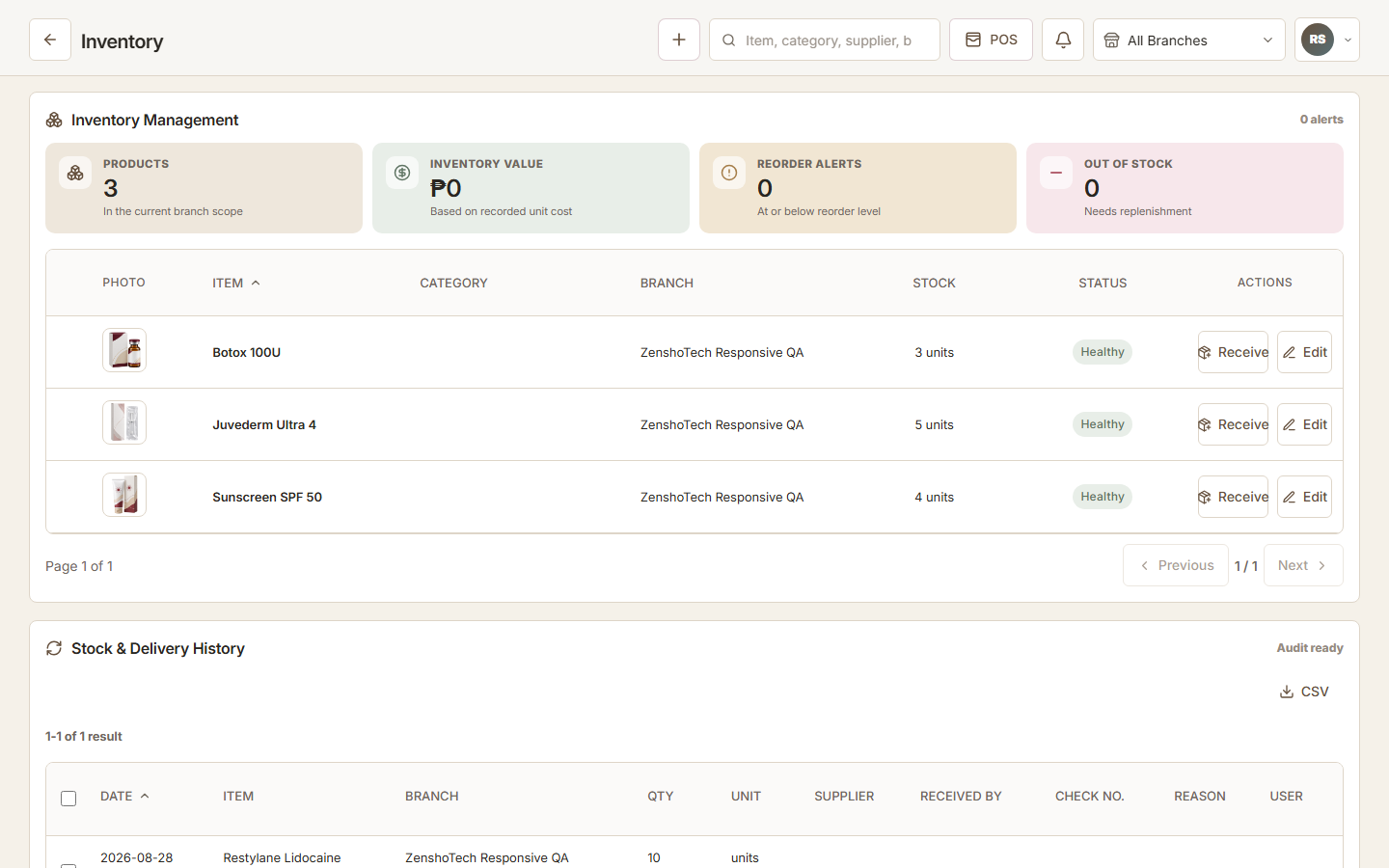
POS answers what was sold. Inventory answers what should be available and why the quantity changed. When the systems are disconnected, staff must translate sales into stock updates manually—and busy teams eventually miss some of them.
The basic connection
A completed sale of an inventory-aware product should create a movement for the correct item and branch. That sounds simple, but reliable setup requires consistent product identifiers, units, variants, starting quantities, and rules for cancellations or corrections.
Services do not always reduce a retail item one-for-one. If a treatment consumes supplies, validate whether the platform supports that exact consumption model or whether staff need a controlled manual issue process.
- Receiving increases stock
- Product sales reduce stock
- Returns or reversals follow defined rules
- Transfers move stock between locations
- Adjustments include a reason
- Counts reconcile system and shelf
What disconnected systems get wrong
Export-and-import routines introduce delays. The POS may show today's sales while the inventory sheet reflects yesterday. Duplicate names and units can map a sale to the wrong item. A correction in one tool may never reach the other.
The resulting quantity can look precise while being wrong. Managers then reorder too late, tie up cash in excess stock, or spend hours investigating differences without a movement trail.
Test the exceptions
Do not judge integration only by a clean sale. Ask what happens after a void, refund, exchange, manual discount, damaged item, transfer, late receiving entry, or edited transaction. The expected inventory outcome should be documented and auditable.
| Scenario | Expected control |
|---|---|
| Wrong item sold | Correction preserves a trace and fixes stock |
| Damaged unit | Adjustment uses a reason and authorized user |
| Branch transfer | Both locations reflect the same movement |
| Physical count differs | Variance is reviewed before adjustment |
| Connection failure | Fallback prevents duplicate synchronization |
A practical weekly discipline
Connected software reduces work but does not replace process ownership. Assign responsibility for receiving, restrict sensitive adjustments, review low-stock and unusual movements, and count high-value or fast-moving items more frequently.
Use reports as a question generator. A surprising margin or stock level should lead back to transactions and movements, not an immediate assumption that the number is correct.
Practical checklist
- Review failed or incomplete transactions
- Approve stock adjustments
- Check negative or unusually high quantities
- Review low-stock items
- Count selected high-risk items
- Resolve duplicate product records
ZenshoTech connection
ZenshoTech connects its configured POS catalog, customers, branches, inventory-aware product sales, movement history, thresholds, and operational reports. This reduces manual handoffs for businesses that sell services and products together.
Before launch, use a demonstration environment to test the exact catalog, unit, branch, correction, and count workflows your team will use.
Frequently asked questions
Does every POS need inventory?
Not every service-only business does, but any business selling or consuming physical items needs a dependable stock process.
Does integration eliminate stock differences?
No. Receiving mistakes, damage, shrinkage, incorrect setup, and unrecorded consumption still require controls and physical counts.
Should stock be tracked by branch?
Yes when locations hold separate quantities or staff need location-specific replenishment decisions.