Inventory
How to Choose an Inventory Management System for a Small Business
Compare inventory software using item structure, movement controls, branches, counts, reporting, migration and staff usability.
By ZenshoTech Team · Published · Updated
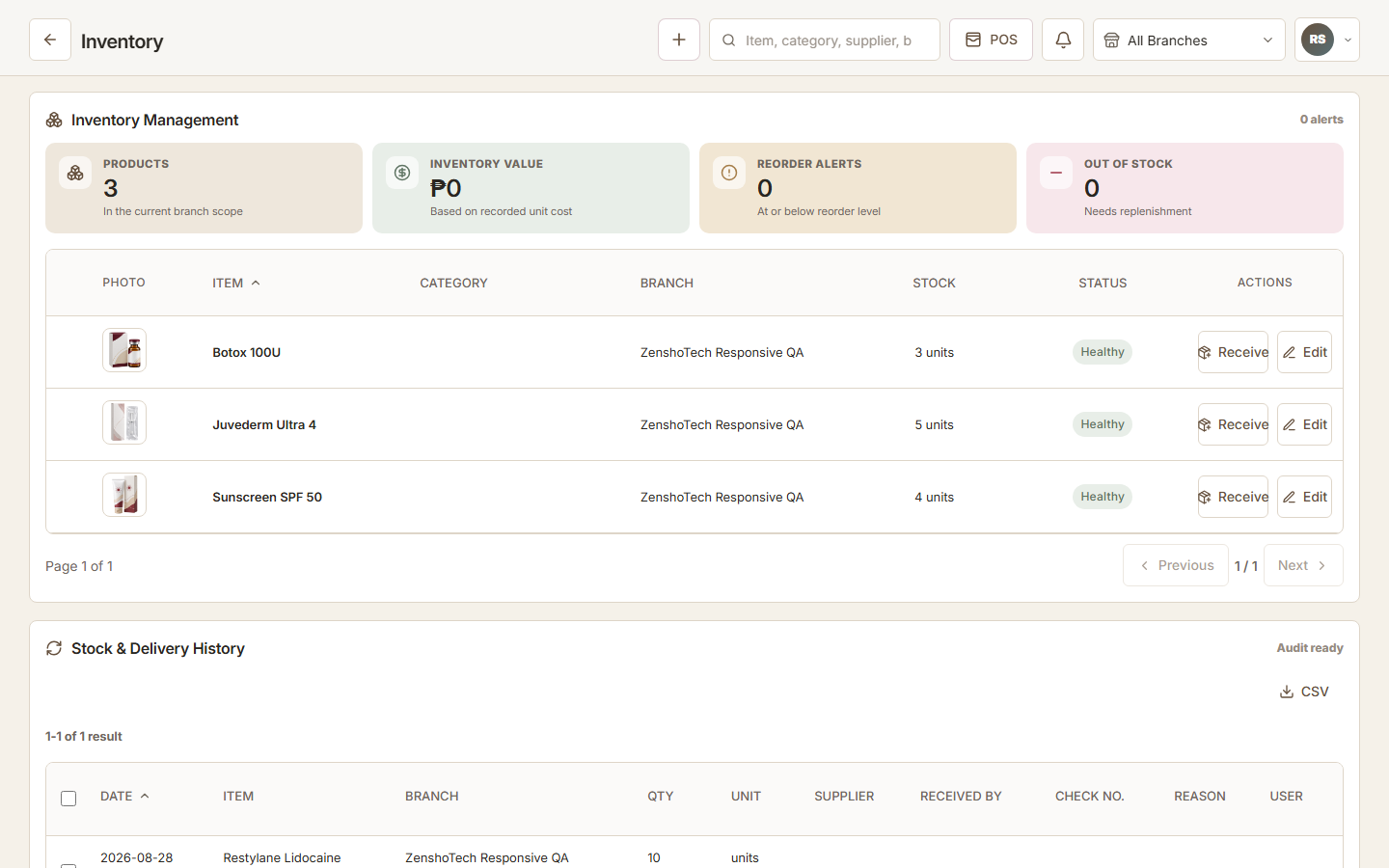
A small-business inventory system should make quantities more believable, not merely more digital. The selection process must examine how products are named, received, sold, transferred, adjusted, counted, and reordered—plus who is allowed to perform each action.
Define what you track
Separate retail products, supplies, consumables, variants, bundles, and non-stock services. Decide which units matter and whether one item can be purchased in a case but issued individually.
Clean structure is more important than importing every old row. Duplicate names, inconsistent units, and obsolete products will make the new system harder to trust.
- Unique item name or code
- Category and variant
- Unit of measure
- Branch or storage location
- Reorder threshold
- Cost and selling context where appropriate
Evaluate movement controls
A quantity without its history is weak evidence. The system should distinguish receiving, sale, use, transfer, return, damage, and correction where relevant. Sensitive adjustments should identify the responsible user and reason.
Test how the platform handles a backdated entry, a cancelled sale, and a transfer that one branch has not received. These exceptions reveal whether the design supports accountability.
| Need | Evidence in a demo |
|---|---|
| Receiving | Quantity, item, branch, date, and responsible user |
| Sale | Transaction links to the correct item movement |
| Adjustment | Reason and authorization are retained |
| Transfer | Source and destination remain consistent |
| Count | Variance is reviewed and recorded |
Branches, reports, and alerts
Multi-location businesses need location-level stock plus a controlled broader view. Ask whether thresholds are global or branch-specific, how transfers work, and whether staff can see locations outside their role.
Alerts should support decisions, not replace them. A low-stock signal is only useful when quantities, lead times, demand, and open orders are dependable.
Practical checklist
- Review quantity by branch
- Trace a number to movement history
- Export item and movement data
- Filter slow and fast movers
- Find negative quantities
- Restrict adjustment permissions
Migration and daily adoption
Plan a cutover count, map old product codes, archive obsolete items, and define a freeze period so the opening balance does not change during import. Train staff on receiving and corrections, not only on finding an item.
After launch, count a small group of high-value or fast-moving products frequently. Early variances reveal misunderstood units, missed consumption, or incorrect permissions.
- Clean catalog
- Count opening stock
- Import into a test workspace
- Run sample movements
- Train by responsibility
- Review first-week exceptions
ZenshoTech inventory
ZenshoTech organizes products and consumables, branch-aware quantities, movement history, low-stock signals, inventory value, and inventory-aware POS activity. It is most useful when stock should connect with customer, sales, branch, and reporting workflows.
Validate specialized manufacturing, recipe, lot, serial, expiry, or regulatory requirements separately if your business depends on them.
Frequently asked questions
What is the most important inventory feature?
A dependable movement history supported by clear item structure and staff process; dashboards cannot compensate for poor inputs.
How much historical data should we import?
Import what supports current operations and required records. Archive the rest in an accessible, controlled format.
Do alerts replace purchasing decisions?
No. They signal attention; people still consider demand, lead time, cash, supplier reliability, and existing orders.