Spa
Spa Management Software: A Practical Guide for Spa Owners
Evaluate spa software for treatment scheduling, rooms, therapists, client profiles, packages, POS, inventory, marketing and branches.
By ZenshoTech Team · Published · Updated
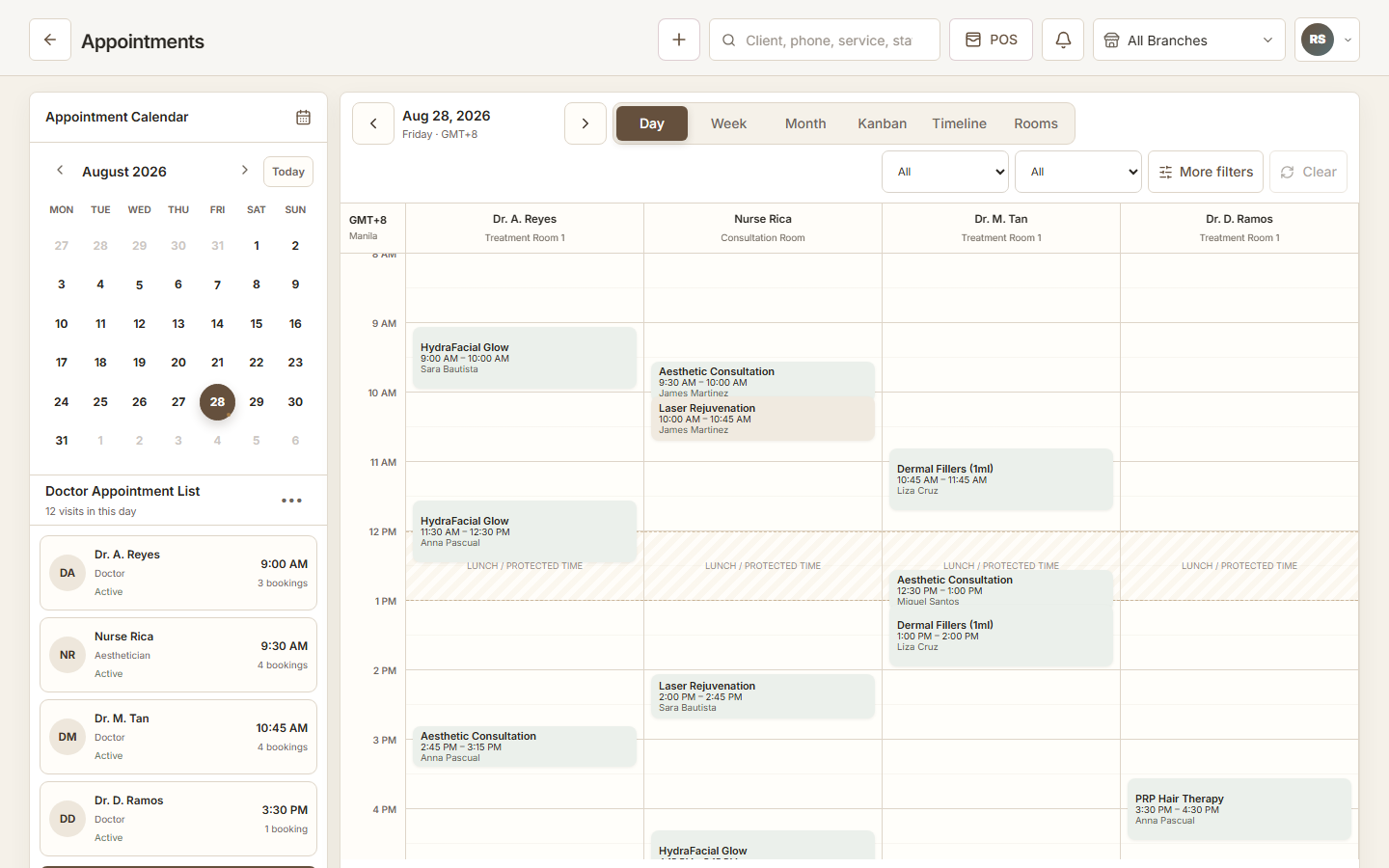
Spa operations combine time, specialist availability, rooms, packages, products, and relationship-focused service. Software should coordinate those constraints without making a relaxing customer experience feel administrative.
Model treatments and resources
Configure real durations, preparation or cleanup time where needed, qualified therapists, room requirements, and branch availability. A free time slot is not bookable if a required resource is occupied.
Ask the vendor to demonstrate simultaneous services, couples bookings, package redemptions, reschedules, and late arrivals if those occur in your spa.
- Treatment duration
- Therapist skill or availability
- Room and equipment
- Branch
- Customer
- Booking status
Keep packages and client context clear
Packages can create confusion when entitlement, use, appointment, and checkout records live separately. Test how staff confirm available value and how corrections are handled.
Client profiles should hold only information appropriate to the service and accessible to the right roles. Marketing preferences should not be assumed from a purchase.
| Area | Question |
|---|---|
| Packages | Can staff see purchase and remaining context? |
| Profiles | Can duplicate clients be prevented? |
| Consent | Can communication preferences be recorded? |
| Appointments | Does history remain connected? |
| Access | Can sensitive context be limited? |
Connect POS and inventory
Treatment sales, package sales, and retail products should use a consistent catalog. Product sales can create stock movements; consumable use may require a different process depending on platform capability.
Review receiving, transfers, adjustments, and counts by branch. A combined stock total can hide that the item is unavailable where tomorrow's appointment will happen.
Adoption checklist
Train therapists on the actions they perform and front-desk staff on bookings, customers, packages, and checkout. Managers need exception and permission training, not just dashboards.
Practical checklist
- Configure treatment rules
- Clean customer and product records
- Test room conflicts
- Test package corrections
- Assign branch access
- Document outage process
- Review first-week exceptions
Where ZenshoTech fits
ZenshoTech connects spa scheduling, customer profiles, packages, staff, rooms, POS, inventory, online booking, marketing, branches, and operational reports.
Use a demonstration to validate complex treatment and package scenarios before committing to a migration.
Frequently asked questions
What makes spa scheduling different?
A booking may depend on treatment duration, therapist, room, equipment, customer, and location simultaneously.
Can online booking prevent all conflicts?
Only when availability and resource rules are configured accurately and manual changes follow the same process.
Should packages connect to customer records?
Yes, so authorized staff can understand purchase and use context during booking and checkout.