Stock counts live in separate files
Use structured inventory records instead of maintaining a different spreadsheet for every location.
INVENTORY MANAGEMENT SOFTWARE
Understand what is available, where it is held, and what needs attention. ZenshoTech connects inventory records with products, branches, point-of-sale activity, and operational reporting so teams can act before important stock becomes a problem.
Start free trial Contact sales
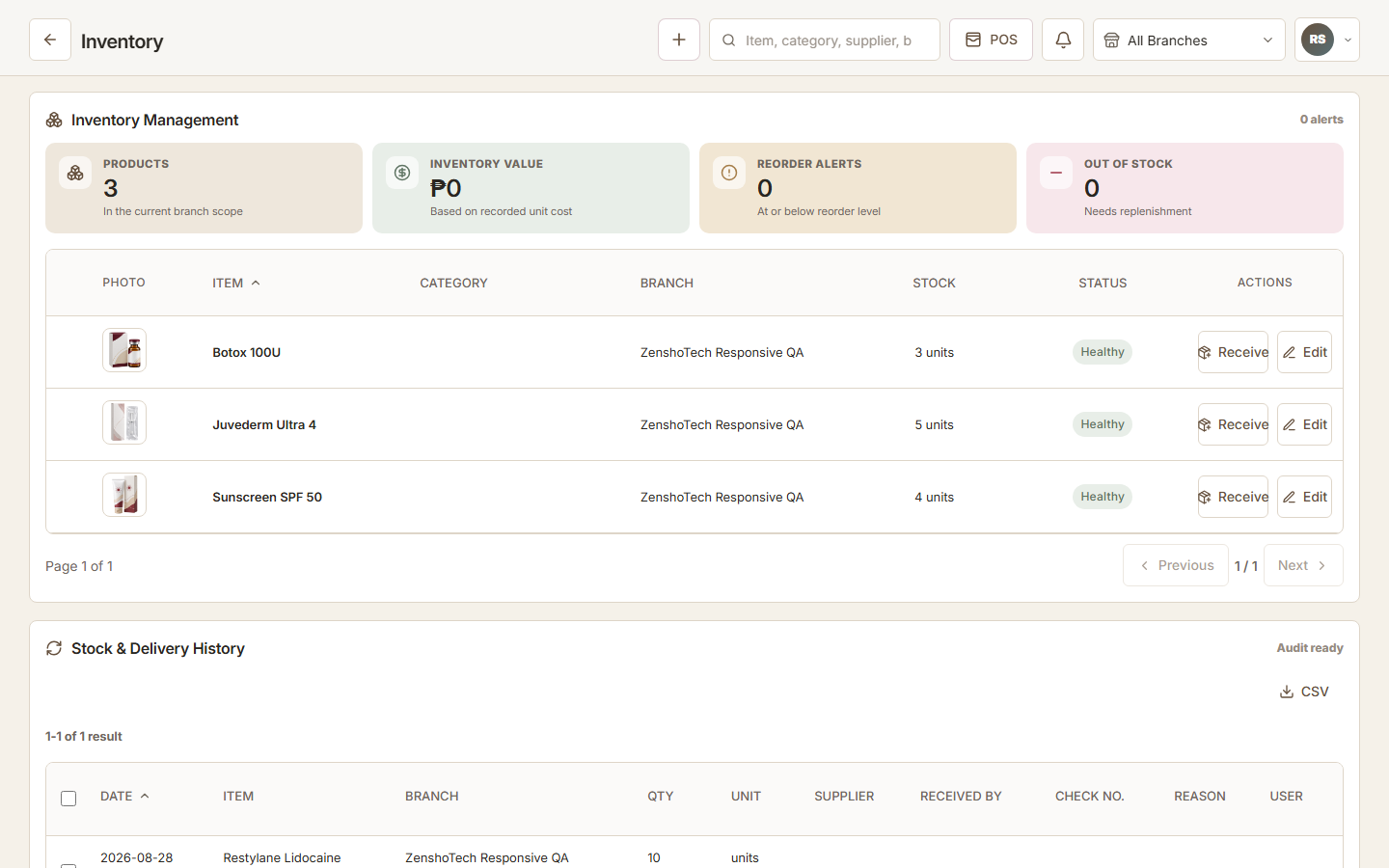
Use structured inventory records instead of maintaining a different spreadsheet for every location.
Surface reorder and stock-level signals in the operational workspace.
Connect receiving, adjustment, and sales activity to the relevant item and branch.
Organize products and consumables with the information needed for daily stock management.
Review inventory within the locations a user is permitted to manage.
Keep receiving, sales, and adjustments visible as part of the item record.
Use operational thresholds and inventory value to understand what requires attention.
List the records, services, people, locations, and daily handoffs your team already manages.
Add the applications, permissions, branches, and business information needed for your operating model.
Use connected records each day, review activity, and refine repeatable workflows as the business develops.
Yes. Inventory records and visibility can be associated with branches and governed by user access.
Configured stock thresholds can help surface items that need replenishment attention.
Yes. Eligible new businesses can explore the platform during a seven-day free trial before selecting a subscription.
Yes. Multi-branch access is available according to the limits and permissions of the selected plan.
No. Workspace owners can assign application and branch access based on each person's responsibilities.