People
How to Manage Employees, Attendance and Scheduling in One System
Connect employee records, schedules, attendance, payroll review, branches and access while keeping managers accountable for exceptions.
By ZenshoTech Team · Published · Updated
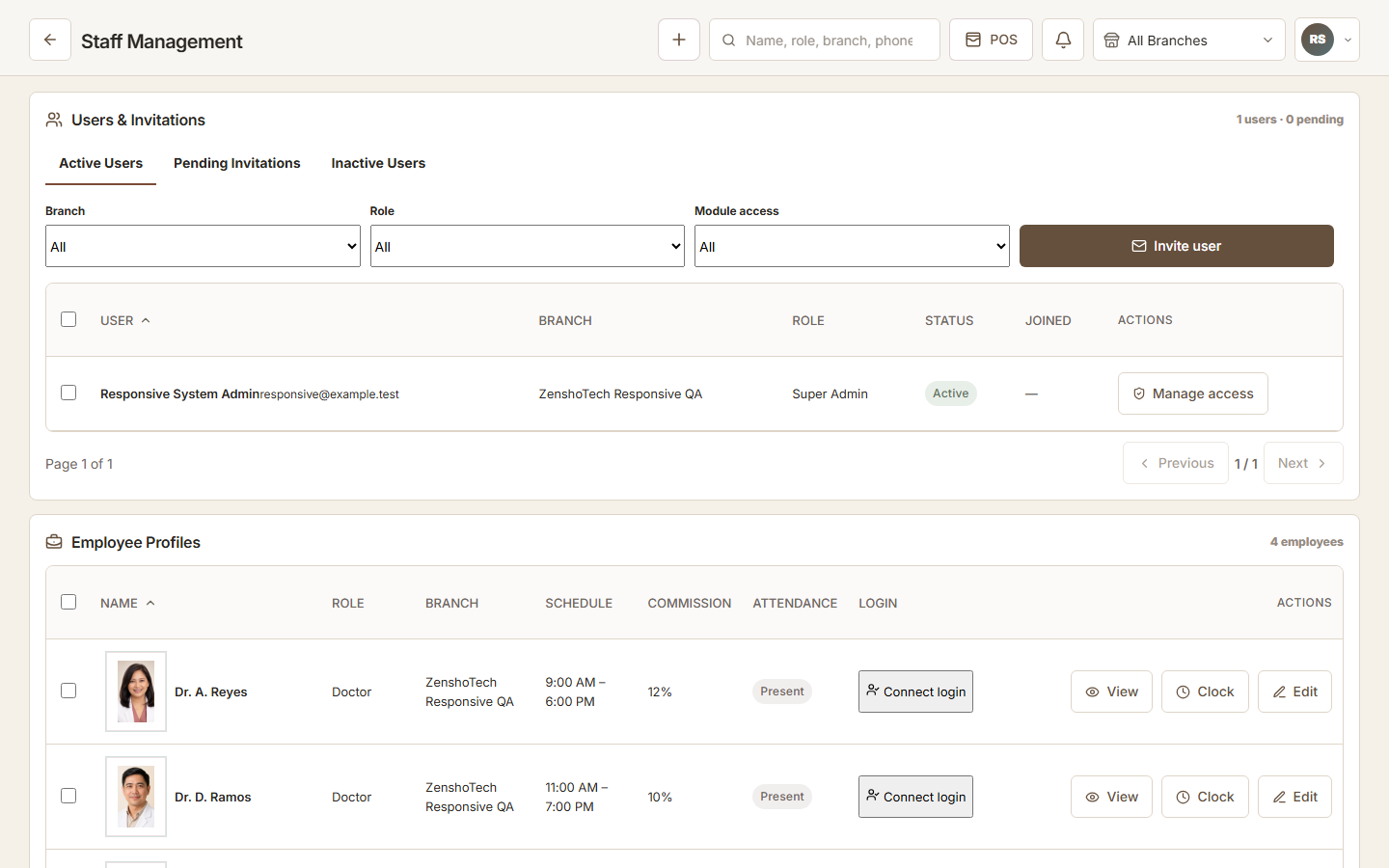
Employee management works best when the staff record, expected schedule, actual attendance, payroll review, branch, and system access use one clear operating model. Connecting them reduces re-entry, but managers still need to review exceptions and employment obligations.
Begin with the employee record
Use a stable employee profile linked to relevant role, branches, applications, and working arrangements. Avoid sharing accounts; individual identity supports access changes and accountability.
Collect only information with a valid business purpose and protect it according to sensitivity.
- Role
- Assigned branch
- Application access
- Expected schedule
- Attendance method
- Payroll configuration subject to review
- Employment status
Separate schedule from attendance
A schedule states what is expected. Attendance records what happened. Managers compare the two and resolve approved leave, late arrival, missed clock events, overtime, branch reassignment, and other exceptions.
Do not automatically treat every difference as misconduct or every recorded time as payable. Policies, evidence, approvals, and applicable rules matter.
| Record | Purpose |
|---|---|
| Schedule | Expected time and location |
| Clock event | Observed supported attendance action |
| Exception | Reason or missing evidence |
| Approval | Manager decision under policy |
| Payroll input | Reviewed data used downstream |
Design access with the role
A person's application access should match their work and change when the role changes. Branch transfers should not create permanent broad access.
Review privileged roles and former employees regularly. Use a documented offboarding checklist.
Practical checklist
- Create individual account
- Assign minimum applications
- Assign relevant branches
- Test restricted views
- Review on role change
- Disable promptly on exit
Use biometric attendance responsibly
Facial recognition can involve sensitive biometric data. Before use, establish purpose, notice, appropriate legal basis or consent where required, security, retention, access controls, error handling, and a reasonable alternative process. Obtain qualified advice for your operation.
Test false rejection and device failure procedures so an employee is not disadvantaged by a technical problem.
ZenshoTech people operations
ZenshoTech connects staff records, schedules, FaceTrack attendance, supported payroll workflows, roles, applications, and branch access.
It does not remove the employer's responsibility to review employment, payroll, privacy, biometric, tax, and statutory obligations with qualified professionals.
Frequently asked questions
Are scheduled hours the same as payable hours?
Not automatically. Attendance, approved exceptions, policies, contracts, and applicable requirements must be reviewed.
Should staff share one login?
No. Individual accounts support appropriate access and accountability.
Is facial recognition required?
Businesses should provide a reviewed implementation and appropriate alternative where required; confirm exact ZenshoTech setup options during evaluation.